How to Check Emirates ID Status Online (Fastest Method 2025)
What is the Emirates ID, and why does it matter in the UAE?
If you’re living in the UAE, knowing how to check your Emirates ID status online is essential. Your Emirates ID is not just a card; it’s your proof of identity and residency. Without it, accessing most government services or even conducting basic transactions becomes difficult.
Many expats applying for an Emirates ID are also searching for work. You can read my detailed guide on how to get a job in Dubai with low experience while managing your residency documents.
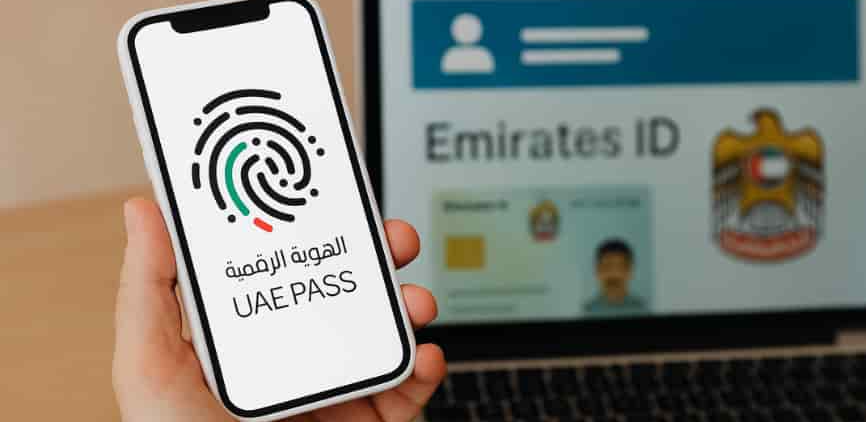
Track your Emirates ID status online using ICP or the UAE Pass app.
Key uses of your Emirates ID
You’ll use it for banking, healthcare, mobile SIM registration, DEWA services, fuel payments, and Emirates Pass verification. It keeps your day-to-day life smooth and avoids unnecessary delays.
Who needs to apply for an Emirates ID?
All residents of the UAE — expats, GCC nationals, and locals — are required to have a valid Emirates ID. This ensures access to essential services and government processes.
How to Check Emirates ID Status Online in 2025 (Fastest Method)
The fastest way to track your Emirates ID application, renewal, or replacement is via the official ICP website. First-time applicants need their PRAN number, while renewals or replacements require the Emirates ID number.
Once entered, the system instantly shows your application status, including biometric, printing, and delivery stages. This eliminates the need for multiple calls or visits to the typing center.
Step-by-step guide using the ICP website
Open ICP → click “ID Card Status” → enter PRAN/Emirates ID number → submit → view status. Simple, secure, and reliable.
How PRAN and Emirates ID numbers work
PRAN is for first-time applicants. Renewals and replacements rely on the Emirates ID number to track progress online.
Common errors while checking status
Mistyped PRAN, expired numbers, or typing center delays may show errors. Double-check your entry or try again after a few hours.
Tracking Emirates ID Application, Renewal, or Replacement
Different applicants have slightly different tracking processes. First-timers focus on biometric updates, while renewals mostly move through printing and delivery stages.
Replacement applications for lost or damaged cards follow the same online tracking steps. It’s all available through the ICP portal, making the process stress-free for expats.
How first-time applicants can track their status
Enter your PRAN number to see biometric, approval, and printing updates instantly.
How renewal and replacement applicants can track their status
Enter your Emirates ID number to check if the card is printing, issued, or ready for delivery.
Understanding your application updates
Status indicators include “Pending,” “Under Process,” “Printed,” “Card Issued,” and “Ready for Collection.”
How the New Emirates ID Application Form Helps (2025 Update)
ICP’s new 2025 application form includes a QR code that allows instant status tracking. You don’t even need to log in online — scan the code and get your latest updates.
It also helps residents reschedule biometric appointments or view next steps, which simplifies the process for everyone.
Features of the new ICP form
It consolidates biometric appointments, application status, and essential updates in one place.
How the QR code helps you track status
Scan the QR code with your phone to instantly see the latest Emirates ID updates.
How to Use Your Digital Emirates ID During Processing
If your physical card is pending, lost, or damaged, the UAE accepts digital Emirates ID for most transactions. You can access it through the UAE Pass app or the UAEICP app.
Digital ID works exactly like the physical card, ensuring you can continue essential activities without interruption.
Adding Emirates ID to Apple Wallet via the UAEICP app
Open the UAEICP app → view profile → tap “Add to Wallet” → your digital Emirates ID is ready for use.
Using the UAE Pass to access the digital ID
Log in → Documents → select Emirates ID → QR code appears for instant verification.
Using a QR code for temporary verification
Banks, telecom providers, and government offices accept the digital QR code as a temporary ID during processing.
Benefits of the Emirates ID for Everyday Life
Your Emirates ID is essential for renting a home, opening utility accounts, hospital visits, school admissions, and even fuel payments. Keeping it active ensures a smooth daily life in the UAE.
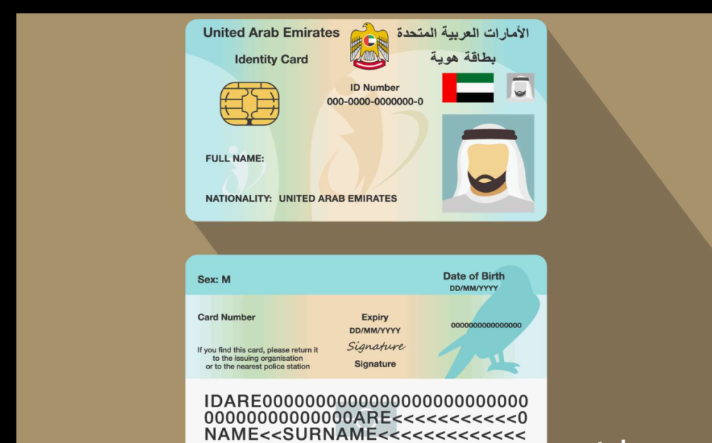
The card’s embedded chip stores over 20 personal details, including biometric data, sponsor information, and residency details, making identity verification secure and fast.
Important services that require an Emirates ID
Banks, hospitals, DEWA, telecoms, and government offices all rely on Emirates ID for verification.
What information is stored on the electronic chip?
The chip contains fingerprints, occupation, sponsor name, residency data, and other personal information for secure verification.
When to Contact ICP for Delayed Emirates ID Status
Normally, an Emirates ID takes 5–10 working days to process. If your application exceeds 15 days, contact ICP directly. Delays often happen due to missing biometrics, high application volume, or typing center errors.
How long does processing usually take
Most applications finish within 5–10 working days, while renewals are often faster.
When your application might be stuck
Pending biometrics, payment issues, or printing backlogs can stall processing.
Official ICP contact options
Call 6005 22222 or visit the nearest ICP service center for support.
Frequently Asked Questions (FAQs)
How long does Emirates ID processing take in 2025?
Usually 5–10 working days, depending on the type of application.
What if my Emirates ID status is not updating?
Check your PRAN/ID number, wait a few hours, or contact ICP if it remains unchanged.
Can I travel without my physical Emirates ID card?
Yes, your digital Emirates ID works for most transactions in the UAE.
What is a PRAN number, and where do I find it?
PRAN is printed on your Emirates ID application form and is used for tracking.
How can I check Emirates ID fines or validity?
Check fines or validity using the UAEICP app or the official ICP website.
Conclusion
Quick summary of the fastest way to check the Emirates ID status
The fastest method is the official ICP website — enter your PRAN or Emirates ID number to see live status updates instantly.
Why staying updated with your ID status matters
Your Emirates ID is your official identity in the UAE. Tracking its status saves time, avoids unnecessary delays, and ensures you’re always ready for essential services or work opportunities.
About The Author